
KMSAuto v1.9.9 Download - Free Install Guide 2026
KMSAuto is a free Windows program developed by Ratiborus for easy activation of Win and Office versions that support KMS activation.
Official KMSAuto Download Center for Windows/Office
Welcome to the definitive hub for downloading genuine KMSAuto Net, KMSAuto Lite, and KMS Auto ++ tools. If you need a reliable method to bypass activation screens and unlock the full potential of Microsoft software, our curated selection of tools guarantees a 100% success rate. By hosting multiple versions of the KMS activator, we ensure that if one edition encounters compatibility issues on your hardware, an alternative version will seamlessly complete the task.
Our utilities provide lifetime activation support for all major Microsoft releases:
- Operating Systems: Windows 7, Windows 8, Windows 8.1, Windows 10, and Windows 11.
- Office Suites: Microsoft Office 2010, 2013, 2016, 2019, 2021, and Office 365.
What is KMSAuto Net Portable?
Developed by the renowned software programmer Ratiborus, KMSAuto Net Portable is a highly efficient utility engineered for users running unlicenced installations of Microsoft Windows or Office.
Without a genuine product key, Microsoft operating systems eventually trigger a restrictive grace-period countdown (e.g., “30 days left to activate”). Once this timer expires, crucial personalization settings lock down, background features disable, and persistent watermarks disrupt your workflow. To resolve these limitations without purchasing an expensive retail licence, users leverage the automated scripting inside KMSAuto Net. The software operates by simulating a local Key Management Service, convincing the OS authentication protocols that your machine belongs to a legitimate corporate network.
The Technical Workflow: How KMS Activation Works
Standard KMS (Key Management Service) is a legitimate framework utilized by large enterprises to activate bulks of computers over a local network. KMSAuto Lite and Net Portable replicate this infrastructure directly on your local drive:
- Emulated Server Setup: The application deploys a temporary, emulated KMS server within your system architecture.
- Authentication Interception: When Windows or Office attempts to verify its license status online, the request is redirected to this local virtual server instead of the official Microsoft servers.
- Key Injection & Verification: The tool injects a compatible volume license key, and the emulated server validates it instantly.
- Background Operation: The software clears out the system blockades and expiration timers, allowing you to use your applications indefinitely without draining computer resources.
KMSAuto Feature Comparison
| Feature/Attribute | KMSAuto Net Portable | KMSAuto Lite | KMS Auto ++ |
|---|---|---|---|
| User Interface | Advanced / Standard Modes | Simplified / Streamlined | Comprehensive Toolkit |
| Installation Requirement | Fully Portable (No Install) | Fully Portable (No Install) | Fully Portable (No Install) |
| Target Audience | General Users & Power Users | Beginners / Older PCs | IT Enthusiasts |
| System Resource Impact | Extremely Low | Minimal | Low |
Key Benefits of Using KMSAuto
- Zero Installation (Portable Software): Run the standalone executable file straight from an archived folder. It leaves no messy registration footprints or junk files behind.
- Streamlined Automation: Skip complex command-line scripts. The entire toolkit features a simple graphical interface where activation requires just a couple of clicks.
- Proven Stability: These activation engines have maintained a stellar reputation across global forums like Quora for nearly a decade.
- Cost-Efficient Solution: Gain unrestricted access to premium productivity tools and OS security environments completely free of charge.
- Antivirus False Positives Explained: Security tools like Windows Defender often flag crack engines or activators as malicious ("HackTool" alerts). This occurs purely because the software modifies licensing restrictions, not because it contains harmful payloads.
How to Activate Windows&Office(Step-by-Step Guide)
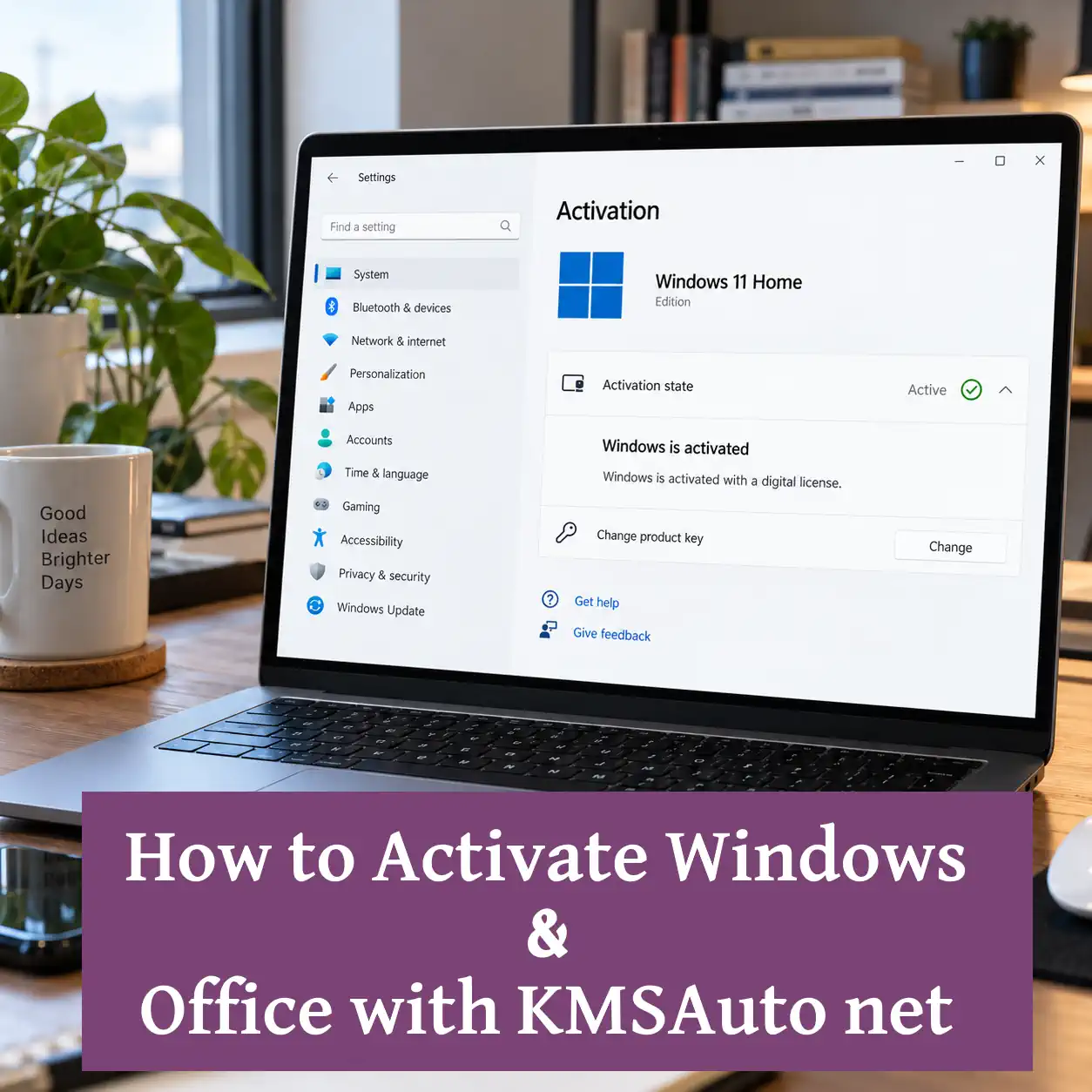
Before initializing the toolkit, ensure your workspace meets these development standards:
- Framework: Ensure Microsoft .NET Framework 4 or higher is present on your system.
- Privileges: You must launch the software executable with full Administrative Rights.
Detailed Activation Walkthrough
Step 1: Temporarily Turn Off System Security
Step 1: Temporarily Turn Off System Security
Because digital rights protection services flag bypass tools automatically, you must pause your antivirus's real-time monitoring before extracting the downloader. Failure to do so will result in your browser or OS automatically deleting the vital .exe files.
- Windows 11 / 10: Open Windows Security -> Go to Virus & threat protection -> Click Manage settings -> Toggle Real-time protection to OFF.
- (Note: You can safely reactivate your security suites immediately after the system successfully registers its new license status.)
Step 2: Extract the Software Package
Locate your downloaded compressed file. Use a utility like WinRAR or 7-Zip to unzip the payload into a dedicated folder on your desktop.
- Archive Password: windows
Step 3: Launch the Activation Tool
Navigate into the newly created folder, right-click on KMSAuto.exe (or the equivalent Lite file), and select Run as administrator.
Step 4: Execute the Script
On the primary control dashboard, click the appropriate button based on your goal:
- Press "Activate Windows" to register your operating system.
- Press "Activate Office" to unlock your productivity suite.
- Confirm any automated prompts that show up in the built-in terminal log. Wait for the status text to read "Activation Successful".
Step 5: Process Completion
Restart your computer. Your system settings will now display a fully activated product status badge, opening up all premium features permanently.
Step-by-step video tutorial
| KMSAuto Family — Technical Version & Architecture Comparison | ||||||||
|---|---|---|---|---|---|---|---|---|
| Branch / Version | Approx. Era | Runtime / Architecture | KMS Engine Design | Windows / Office Generation | Notable Technical Changes | Advantages | Disadvantages | Technical Significance |
| KMSAuto Pro 1.x | 2013 era |
Early portable Windows executable. Relatively small monolithic tool compared with later Net releases. |
Early automation layer around Microsoft's KMS licensing model. Focused mainly on automating product detection, KMS-client configuration and activation-state handling. | Primarily Windows 7/8/8.1-generation systems and Office 2010/2013-era volume licensing. | Established the basic KMSAuto concept: one GUI orchestrating several licensing operations instead of exposing them as separate manual utilities. |
Small footprint. Simple architecture. Low number of auxiliary components. |
Limited awareness of later Windows and Office licensing layouts. Fewer diagnostic and compatibility mechanisms. |
Foundation of the later Net/Lite family rather than the technically richest branch. |
| KMSAuto Net 1.0–1.1.x | 2013–2014 |
.NET-based graphical frontend. Portable distribution, but dependent on an appropriate .NET Framework environment. |
More modular than Pro. The GUI acted as an orchestration layer over licensing operations and embedded/supporting executables. |
Windows Vista/7/8/8.1-era volume editions and Office 2010/2013. |
Major UI rewrite. Better automatic environment detection. Growing separation between frontend logic and underlying activation components. |
Friendlier interface. Better diagnostics. Easier extension than the earlier Pro branch. |
.NET dependency made it heavier than Lite. Compatibility depended partly on installed framework versions. |
Beginning of the best-known “Net” architecture. |
| KMSAuto Net 1.2.x | 2014 | .NET GUI plus embedded helper binaries and scripts. | Expanded automation logic for choosing an appropriate KMS configuration depending on the detected operating system and Office installation. | Windows 7/8/8.1 and contemporary Server editions; Office 2010/2013. | Better Office handling, improved logging, compatibility fixes and more extensive system-state detection. |
More robust automatic decision logic than 1.0/1.1. Better troubleshooting visibility. |
Larger code/component surface. Increasing complexity compared with early releases. |
Transitional generation between the original Net design and the mature 1.3/1.4 series. |
| KMSAuto Net 1.3.x | 2014–2015 | Mature .NET frontend with bundled KMS-service components and auxiliary utilities. | Multiple selectable operating modes appeared around the same core idea: emulate/provide a KMS endpoint locally and let Microsoft's own licensing client communicate with it. | Windows 7/8/8.1 with increasing early Windows 10 awareness; Office 2010/2013 and preliminary 2016-era support. | Improved TAP/network-adapter handling, additional embedded utilities, expanded product-key database and more sophisticated activation-state logic. |
Mature feature set. Extensive diagnostic options. Flexible handling of different host configurations. |
More moving parts. Virtual networking mechanisms could interact poorly with unusual network configurations. |
This period established many of the architectural patterns later associated with classic KMSAuto Net. |
| KMSAuto Net 1.4.x | 2015 | .NET application with increasingly modular bundled tools. | Continued refinement of local KMS-host emulation and automatic selection of parameters based on the detected Microsoft product. |
Strong Windows 10 transition-era focus. Office 2016 support became increasingly important. |
Updated product identifiers and GVLK databases; changes to KMS service implementations; Windows 10 compatibility work; improved Office edition detection. |
Better support for the Windows 10 generation. More mature automatic detection than earlier Net versions. |
Still tied to the classic KMS architecture and .NET frontend. Larger bundle due to supporting utilities. |
Important migration release family during Microsoft's Windows 10 / Office 2016 transition. |
| KMSAuto Net 2015 / 1.3.8–1.4.x era | 2015 | .NET-based frontend; x86/x64-aware helpers; expanded embedded utility set. | Local KMS server emulation combined with automatic configuration and optional supporting network/service mechanisms. |
Windows 7 through early Windows 10. Office 2010, 2013 and increasingly 2016. |
Windows 10 product data, Office 2016 product data, TAP-driver revisions and Office Retail-to-Volume conversion tooling appeared around this generation. |
Broad compatibility for its time. Considerably more automated than early releases. |
Complex compatibility matrix. Several external/helper components had to remain synchronized. |
Represents the point where KMSAuto evolved from a simple frontend into a toolkit-like application. |
| KMSAuto Net 2016 1.5.x | 2016–2018 |
Mature .NET GUI. Portable package with several internal executables/modules. |
Mature classic KMS workflow with local-service emulation, scheduler/service integration options and extensive automatic detection. | Windows 7/8/8.1/10 era and Office 2010/2013/2016 families. | Consolidated Windows 10 support, more mature Office 2016 handling, updated KMS-service modules, revised licensing databases and compatibility fixes. |
Very mature classic Net implementation. Rich diagnostics and broad legacy compatibility. |
Architecturally tied to older KMS-era assumptions. .NET dependency. Development of the Net line effectively became much less important afterward. |
1.5.4 is effectively the best-known final classic KMSAuto Net 2016 build and remained bundled in later KMS Tools collections. |
| KMSAuto Lite 1.1.x | 2015 |
Native/lightweight frontend. No .NET Framework requirement. |
Same general Microsoft KMS-client/KMS-host model as Net, but packaged with a substantially lighter control layer. | Windows XP-era runtime compatibility through the then-current Windows 10 test generation, subject to whether the Microsoft edition itself supported KMS. | Removal of the .NET dependency was the defining architectural change. Experimental Windows 10 and Office 2016 support was developed through TEST builds. |
Faster startup. Smaller package. Works on machines lacking the required .NET runtime. |
Less elaborate GUI. Historically fewer built-in management and diagnostic features than Net. |
Not merely a “small Net build”; it became a technically distinct branch. |
| KMSAuto Lite TEST / TEST2 / later tests | 2015 | Lightweight non-.NET codebase used as a staging branch for new product support. | Functionally similar KMS core, but with experimental product tables and compatibility logic. | Early Windows 10 builds and Office 2016 preview/current-at-the-time products. | TEST introduced Windows 10 and Office 2016-related support; TEST2 added Project/Visio 2016-era product handling. |
New Microsoft product support reached Lite quickly. Useful experimental branch for compatibility development. |
Test builds were by definition less stable and changed rapidly. | Shows that Lite was also used as a development/test vehicle, not simply as an old stripped build. |
| KMSAuto Lite 1.2.x | 2015 | Portable, non-.NET executable. | Updated lightweight controller around the KMS-service implementation. | Windows editions supporting KMS through Windows 10 generation; Office through 2016-era volume products. | KMS service component recompilation, Windows 10 / Office 2016 product-key database updates and incorporation of preceding TEST-series work. |
Stable consolidation of experimental Lite changes. Very small dependency footprint. |
Less feature-rich management UI than Net. | First mature Windows-10-era Lite generation. |
| KMSAuto Lite 1.3.x+ | 2015 onward | Native lightweight portable branch; no .NET dependency. | Continued refinement of the compact KMS controller and bundled service implementation. | Expanded Windows 10 and Office 2016-era compatibility, with later revisions tracking newer product definitions. | Updated TAP/network components, embedded backup/support utilities, newer product definitions and Retail-to-Volume handling for contemporary Office releases. |
Compact. Minimal runtime requirements. Easier to use on legacy installations. |
UI and diagnostics remained intentionally simpler than the larger tool suites. | Became the long-lived lightweight counterpart to Net. |
| KMSAuto++ 1.6.x | 2021 era |
Newer portable all-in-one branch. More toolkit-like packaging than classic Net. |
Classic KMS mechanisms remained central, while the application accumulated additional product-management and servicing functions. | Windows 7/8.x/10 generation and contemporary Office volume-license families. | Consolidation of functions that previously existed as separate Ratiborus utilities or separate workflow components. |
More self-contained. Broader system-management toolkit than classic Net. |
Larger binary/package. Harder to regard as a single-purpose KMS frontend because multiple ancillary features are bundled. |
Marks the shift from “KMS frontend” toward “licensing toolkit”. |
| KMSAuto++ 1.8.x | 2023–2024-era circulation | Portable multi-component suite with a substantially larger feature footprint than historical Net/Lite. | KMS remains one subsystem rather than the whole architecture. Newer licensing-related approaches and servicing functions are integrated alongside it. | Primarily Windows 10/11-generation systems plus modern Office releases, while retaining substantial legacy awareness. | Broader tool integration, revised product databases, compatibility work for newer Windows builds and a less Net-like monolithic workflow. |
Much broader compatibility range. More flexible licensing diagnostics and product handling. |
Considerably more complex internally. Version provenance is harder to reconstruct because many third-party mirrors relabel release dates. |
Technically closer to a successor toolkit than a direct incremental update to KMSAuto Net 1.5.4. |
| KMSAuto++ 1.8.7 | 2024 circulation* | Portable toolkit architecture with numerous bundled modules. | Combination of traditional KMS-oriented functionality and additional Windows/Office licensing-management components. | Windows 10/11 era; modern Office generations in addition to older supported products. | Later product-definition databases and compatibility adjustments compared with early 1.6.x. |
One of the most widely mirrored late KMSAuto++ releases. Broad feature coverage. |
Mirror metadata frequently disagrees about the original release year/date, making provenance less clean than the old Ru-Board-era releases. | Useful reference point for comparing the late ++ architecture with classic Net. |
| KMSAuto++ 1.9.x | 2025–2026 circulation* | Late-generation portable licensing toolkit. | Hybrid design: traditional KMS-related functionality exists alongside newer licensing techniques and support modules rather than serving as the only engine. | Windows 10/11 and newer Office/LTSC generations are the main compatibility focus. | Updated product databases, later Windows-build compatibility and integration with a broader family of modern licensing techniques/tools. |
Broadest modern-system coverage of the family. Less dependent on assumptions made by 2013–2016-era KMSAuto. |
Historical authenticity/version numbering is harder to verify independently because late builds are heavily redistributed and repackaged. | Better viewed as the late evolution of Ratiborus' licensing-tool ecosystem rather than “KMSAuto Net 1.9”. |
| KMS Tools / KMS Tools Lite | 2010s–2020s | Collection/package rather than one KMSAuto engine. | Launcher/container for multiple distinct utilities, including KMSAuto Net, KMSAuto Lite and various licensing/diagnostic tools. | Coverage depends on the versions of the utilities included in each collection. | Allows old and new utilities to coexist. This is why recent KMS Tools collections can still contain the old KMSAuto Net 2016 v1.5.4 alongside much newer programs. |
Excellent historical compatibility breadth. Modular: individual utilities can evolve independently. |
Version number of the collection does not describe the version of every bundled component. | Important distinction: KMS Tools ≠ a later version of KMSAuto. |
| Version-line note: KMSAuto Pro, KMSAuto Net, KMSAuto Lite and KMSAuto++ should not be interpreted as one perfectly continuous semantic-version chain. They represent partially separate generations/branches. Release dates for late KMSAuto++ builds are less reliably documented than the 2014–2016 Net/Lite releases, because many later mirrors reuse, repackage or relabel builds. | ||||||||
Frequently Asked Questions (FAQ)
Is downloading KMSAuto Net safe for my computer?
Yes, downloading the tool from our official site is entirely secure. Be cautious when browsing third-party platforms or lookalike domains, as malicious actors often bundle malware or Trojan scripts inside counterfeit activator files.
What is the difference between KMSAuto Net and KMSAuto Lite?
KMSAuto Lite is an optimized, lightweight variant designed for swift execution. It strips away complex configurations and advanced networking options, providing a straightforward interface tailored specifically for non-technical users or older computer setups.
Why does Windows Defender label this tool as a threat?
Antivirus programs are programmed to protect Microsoft's intellectual property. Because KMS tools bypass commercial licensing algorithms, security applications categorize them as risks by default, despite the code being clean of functional viruses.
Are there any good alternatives to KMS Auto?
If your system requires an alternative activation infrastructure, the most effective choices available include Microsoft Toolkit (an excellent KMS alternative), KMSPico (highly automated deployment), and Windows Loader (specifically optimized for legacy Windows 7 architectures).
Final
KMSAuto continues to dominate as a premier choice for system activation thanks to its unmatched speed and user-friendly interface. Users can now enjoy their favorite Microsoft suites completely unrestricted, gaining full access to all features and services without any financial investment. The script seamlessly handles both OS and office suite activation without technical roadblocks. Our comprehensive, step-by-step tutorial-complete with illustrative screenshots-provides all the necessary guidance to ensure a smooth configuration process. Safely download the most reliable, fully verified, and secure latest edition of the software directly from our portal.